Cash App Fees: What You Need to Know
Cash App can make splitting dinner, paying rent, and receiving freelance payments feel effortless. But, as always, every convenience comes at a cost. Does Cash App charge a fee? The short answer is sometimes. And those times can add up quickly if you don’t know what to expect.
So, if you’ve ever wondered “How does Cash App work in terms of cost?”, wonder no more. Let’s review Cash App’s fee structure in detail and take the guesswork out of your next transaction.
How Much Does Cash App Charge: Detailed Structure
Before we break down Cash App fees, let’s briefly discuss what it is and what it’s used for. |If you already know how to send money with Cash App, feel free to skip this section.
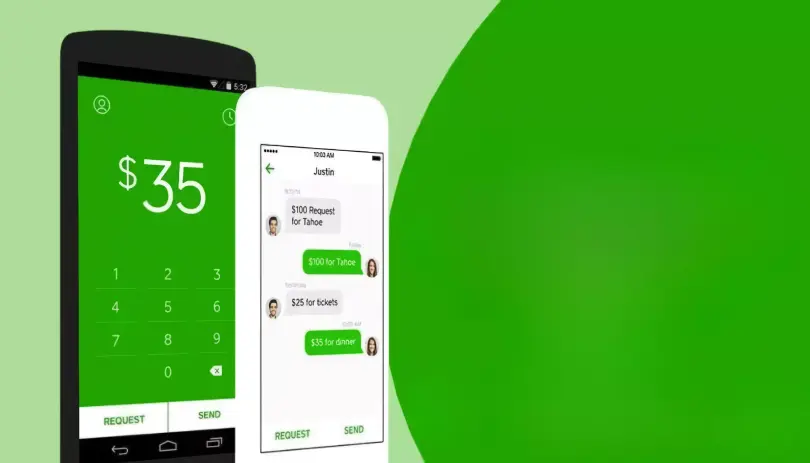
Cash App is a peer-to-peer payment platform with over 57 million active users. Its primary use is to send, receive, and request money via a mobile app. However, what really sets Cash App apart from other P2P services is that it goes beyond simple money transfers. Over time, the service has evolved into a multifaceted financial tool with an impressive range of functions.
- P2P money transfers: Users can instantly send and receive money to and from friends, family, or coworkers, all without using bank details. Instead, the system utilizes usernames ($cashtag), phone numbers, and emails.
- Banking features: Cash App functions as a basic bank account, and as such allows you to receive direct deposits like paychecks and tax returns. You can also get a free Cash App Visa debit card (Cash Card) to make purchases or withdraw money. Is Cash App a prepaid card, though? Long story short, it is not, as the Cash Card is tied to your Cash App account, which is in turn linked to your bank account.
- Bitcoin trading: You can buy, sell, and transfer Bitcoin from the app, as well as monitor Bitcoin market trends and build a cryptocurrency portfolio.
- Investing in stocks: With as little as $1, Cash App users can invest in stocks and ETFs from the app, with access to real-time stock data and performance tracking. This is a great option for beginner-level investors.
- Bill payments and discounts: Users can link Cash App as a payment method for subscriptions and online purchases, as well as use it to pay bills. What’s more, Cash App Boosts can grant users discounts at restaurants, coffee shops, and retailers.
Overview of Cash App Fees
Similar to other P2P services, Cash App is technically free. Indeed, downloading and using the app won’t cost you a single dime. However, while the app offers plenty of free services, some features are locked behind a paywall or entail a fee.

Types of transactions that incur fees
- Instant transfers: Quickly moving your money from your Cash App balance to your linked debit card or bank account entails a Cash App transfer fee ranging from 0.5% to 1.75% of the transfer amount (with a minimum fee of $0.25).
- Sending money with a credit card: Using a credit card to send money through Cash App incurs a 3% fee.
- Bitcoin transactions: Buying and selling Bitcoin may involve fees based on market conditions. These fees are dynamic and often fluctuate. Typically, you’ll be charged between 2% and 3%. In any case, the fees are always displayed upfront before you confirm the transaction.
- Receiving payments with a business account: Cash App offers merchants a convenient way to accept payments from customers, charging a 2.75% fee that is automatically deducted from each transfer. This feature is especially handy for small businesses and individuals conducting business activities.
- ATM withdrawals using Cash Card: While the Cash Card itself is free, ATM withdrawals incur a $2.50 fee, plus any fees charged by the ATM operator. However, if you receive $300+ in monthly direct deposits, in-network ATM withdrawals are free (so far, Cash App has partnered with Money Pass, Allpoint, and PULSE).
- International Cash App use: Does Cash App have a fee for international transactions? Once again, you’ll have to deal with a 2% fee unless you receive $300+ per month in paychecks.
When Cash App is free
- Sending and receiving money without using a credit card: When you use your debit card, linked bank account, or Cash App balance to fund the transfer, the service won’t charge you any fees.
- Standard bank transfers: Taking 1–3 business days to register, the standard deposit method is completely free. It’s perfect if you don’t need the funds right now.
- Receiving personal payments: As long as your account is not registered as a business, you can receive payments without any deductions.
- Using Cash Card for purchases: There are no additional fees for using your Cash Card to make purchases in-store or online.
- Stock investments: Cash App charges no commission fees for stock trades, making it a great low-cost way to start investing.
If you have already installed the application, but you are not satisfied with the fees, you may find the information on how to delete Cash App useful.
Final Thoughts
What are the fees for Cash App? While not charging its users for common transactions, the service has fees in place for advanced functions like international transfers. Cash App is cost-effective for those who use it for personal finance and side hustle payments. Still, forewarned is forearmed. If you understand when fees apply and plan around them, you can enjoy nearly all of Cash App’s features with minimal or even no cost.